Server Maintenance Checklist: The Outage You Can See Coming
When your IT team tells you everthing is “fine”, I have a story for you:
The call came at 3 p.m. on a Tuesday. The owner of an online training company had a sales demo scheduled with a major prospect. He called me in a panic as he could not get his videos to load – the sales presentation was 15 minutes away.
His web developers were overseas and not available, so he called me.
As far as he new, nothing had changed on their end.
He said his team had found some errant scripts earlier that day but now everything was fine – but it wasn’t.
Checking the server I found the cause immediately: the disk was full. The pushed fixed earlier that day had caused massive log files. This filled the disk, corrupted the database and caused the site to fail.
Six hours later, I had things running. He had to do the sales demo without the live app.
After this incident, he hired rackAID to a post-mortem on the failure and start providing proactive management.
Here’s what we found:
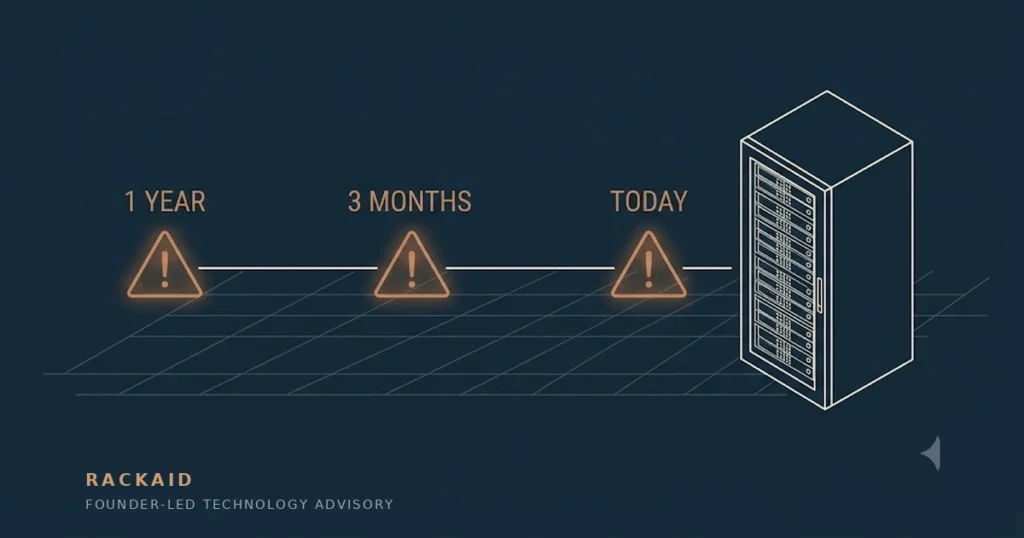
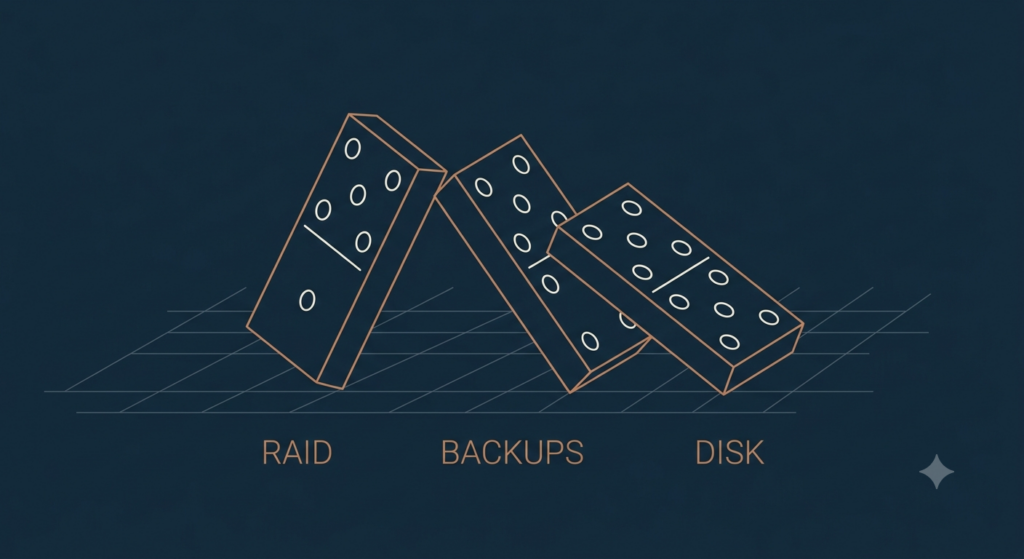
- The RAID array had been in a failed state for nearly a year.
- Database backup systems had not been updated to incorporate newly added databases, so there was a coverage gap.
- There was no proactive monitoring to disk usage, cpu or other events.
Any of these items on their own is easily recoverable, but during an emergency, these simple events obscure diagnostics and recover efforts.
This wasn’t a freak event. It was the predictable end of a long chain of missed basics.
Most server “disasters” do not come out of nowhere. They come from small failures nobody notices.
You don’t need to be a systems engineer to put in place a proper checklist for your team. What you need is to assure that someone is watching, they know how to fix things and who to call when they cannot.
That’s the difference between a business that gets a warning and one that has to make a phone call in a panic.
Questions to Ask
For 25 years, I have ran a managed service company. What follows are the expectations for monitoring that we used to keep systems running smoothly, so we don’t get that desparate phone call.
They’re organized by frequency: daily, weekly, monthly, quarterly.
For each one, the question isn’t “do I understand this?” It’s “is this being done, and can you show me?”
Daily Questions: Smoke Detectors
Some checks only matter if they happen every day. Unlike that yearly check of your smoke detector at your house, some server maintence tasks require attention daily.
Are backups running—and has anyone actually restored one?
This is the one that would have saved the training company. Their backups had silently failed for three months, but a dashboard full of green checkmarks would have shown everything as fine. A “backup completed” flag proves only that a job ran.
The only real proof is a restore.
Ask your team to show yesterday’s backup report and the last successful test restore. If needed, automate test restores. With modern cloud, you can programatically restore backups and run tests against them. This is low cost and easy to do.
If our main application server died today, how long until we’re running again?
A confident number is good. Silence is your first gap.
There’s no universal right answer.
The real benchmark: how much downtime can your business afford?
A 24-hour outage is a nuisance to one company and a disaster to another. If the recovery time your team quotes is longer than the outage you can absorb, that’s a conversation to have now not during one.
How full are the disks (and when will they be full)?
There are many ways to prevent a full disk from corrupting your database. However, the simplisitc one is to check disk usage and alert your team.
Better still, ask the forward-looking version: “At our current growth rate, when do we hit 80% and 90%?” A team that can answer is managing capacity. One that can’t is waiting for an emergency.
Is anything running hot?
CPU, memory, and network throughput should be scanned daily. A busy server isn’t a problem. A consistently busy one is a warning, and a consistently idle one is a bill you don’t need.
The same review that flags an overloaded database flags the oversized cloud instance you’re paying for. Reliability and cost control are the same conversation.
Is any drive dying quietly?
Physical servers give warnings before they fail: RAID alerts, predictive-failure indicators, SMART errors. The training company’s RAID array failed a full year before the crash; that should have generated a same-day ticket. The remote recovery tools that turn a crash into a quick fix only help if the alert reaches someone first. Regardless if you are in the cloud or or dedicated hardware, you need to understand what alerts can your systems generate that may signal problems to come.
Weekly Questions: Slow Leaks
Daily checks can prevent fires. Weekly checks catch the slow leaks. These problems build quietly and accumulate unnoticed.
What have the logs been trying to tell us?
OS and hardware logs are where subtle problems announce themselves before becoming outages. A recurring warning is a server clearing its throat.
Ask: “What repeated warnings showed up this week, and what did we do about each one?”
Logs catch more than hardware trouble.
One client’s marketing team had launched several WordPress content portals, and the server’s performance began dragging down everything else on it.
Their webmaster had spotted suspicious files months earlier, deleted them, and moved on. No real investigation. No restore to a clean baseline.
Digging into the logs, I found a PHP shell—a backdoor planted through an outdated plugin.The backdoor had been in use, off and on, for nearly nine months.
The evidence was in the logs the whole time. Nobody was reading them.
If the main app dies at 2 a.m., who finds out?
Monitoring is only as good as where alerts go. Confirm that your alerts are going to the right people. You may not need to do this weekly but it is worth staying on top of this, especially if staff/vendors are on leave or no longer works for you.
The video training company would have been able to do a live demo of their software if monitoring and alerts worked. The technology was ordinary and available. The wiring to a human being was missing.
Are we treating snapshots as backups?
Cloud snapshots feel like backups but usually live in the same account, region, and failure domain as what they protect, and they multiply quietly into an unexplained line item on your reports and invoices.
I made this mistake myself.
Early in my AWS days, I wrote a simple script to snapshot some servers daily—and forgot about it. The servers sat in a region I rarely looked at, so the snapshots piled up out of sight while the bill climbed.
These were audit and log-aggregation servers, so the data kept growing—and the snapshot costs grew with it. When I finally caught it, the script had been running for nearly 18 months.
By then we had a proper backup system in place with multi-location redundancy. It just didn’t know about my legacy script.
There is nothing wrong with snapshots as a recovery plan – just make sure they meet your recovery objectives. If AWS in us-east crashes, having backups there is of little us. While prolonged outages are rare at these facilities, you need to understand the business ramifications if they have one.
Monthly Questions: Locks and Keys
Monthly is the rhythm for the security work that quietly determines whether you’re an easy target. Microsoft’s research credits basic hygiene—patching, MFA, and reduced exposure—with preventing 98% of attacks. None of it is exotic. All of it needs an owner.
Can we get in when we need to (and can hackers)?
Remote management tools such as VPNs, jump servers, out-of-band controllers like iDRAC and iLO—let your team fix a midnight failure remotely. They’re also a favorite door for attackers when exposed to the internet. Confirm both: the door works for you, and it’s locked to everyone else, with MFA in front of it.
What’s getting patched, and what’s being left behind?
OS, kernel, hypervisor, and any containers need a patch cycle — and a kernel patch isn’t live until you reboot, which is why long uptime can be a warning sign rather than a badge of honor. Your hosting provider patches the infrastructure underneath you, not your server or cloud instance. So make sure you have a patch schedule and a way to verify it.
The same applies to business applications, web servers, and control panels. Unpatched applications are a common entry point for attackers. Verizon’s 2025 Data Breach Investigations Report found vulnerability exploitation as a way into breaches grew 34% in a year, and only about half of known flaws in exposed devices got fully patched. Ask which core systems run on versions the vendor no longer supports.
What would a scan find?
Someone should scan your public-facing and internal systems for vulnerabilities at least monthly. If budget is the objection, it isn’t one: CISA offers a free vulnerability scanning service that checks your internet-facing systems continuously and sends weekly reports.
The report matters less than the follow-through: “Show me this month’s top five critical issues and the fix date for each. Who signs off on exceptions?”
Who has access, and should they still?
This is how ex-employees and former vendors quietly keep their keys. One client called me to figure out why parts of their website had stopped working. The server was fine—I managed it, and nothing had changed.
The audit trail told the real story. A web developer let go three months earlier had logged back in and apparently copied license keys for the site’s add-on software. When those licenses activated on another domain, they stopped working on the client’s—and took the features down.
Nobody had revoked his access. Nobody owned that step.
Review user, admin, and shared vendor accounts monthly. Pair it with an MFA audit—confirm it’s enforced on admin logins, cloud consoles, and remote access, not just switched on somewhere in a settings page. Ask: “Which accounts did we disable this month, and can you prove every admin login requires MFA?”
And the secrets?
API keys, credentials, and SSH keys should rotate on a schedule and live in a proper secrets manager—not hard-coded or pasted into a spreadsheet. If the answer to “where are our secrets stored” involves a spreadsheet, you’ve learned something important. While you’re at it, review cloud storage monthly for exposed data and unused capacity you’re still paying for.
Quarterly Questions: Is the Foundation Sound?
Quarterly is when you step back and ask whether the architecture and arrangements still make sense.
Does reality match the plan?
If your cloud environment is defined in code (Terraform, CloudFormation), manual console changes create “drift”. The running system no longer matches the documented one; undocumented changes are unreviewed changes waiting to cause problems.
Ask what percentage of your infrastructure is governed by code and specifications versus ad-hoc work?
What did we learn from what broke?
A quarterly review of incidents and near-misses turns monitoring from reactive tool to a proactive solution. Ask: “What were our top incidents, and what changed so they don’t recur? Where are we still flying blind?”
Who really has the keys—including the robots?
The quarterly audit should deliberately include vendors, contractors, MSPs, and non-human identities—automation, CI/CD, bots—that often hold broad privileges and never get reviewed. Ask which accounts have had no activity in 90 days.
I see this constantly with professional service firms running WordPress. Nearly every review turns up a pile of admin accounts, including past employees, old web developers, marketing agencies, and no audit logging to show whether any of them still log in.
I’m one of them. A client migrated off my services more than two years ago, and I still have an admin account in their WordPress installation. I still get their system notices. I’ve told them. The account is still there.
If a vendor leaves on bad terms, the risk is obvious. But even on good terms, every account like mine ties your operations to theirs. If that vendor gets compromised, the attacker inherits their keys and access to your systems.
Where are we exposed over the next year?
Ask for a quarterly summary that ties technical work to business decisions: uptime and incidents, capacity trends, security risks addressed and remaining, and cost across on-prem and cloud. Then ask: “What are our top three infrastructure risks over the next 12 months, and what do you recommend?”
The Walkthrough
As a business owner or team lead, your job is to ask these questions. You don’t have to understand the technical details but that the issues are being handled. If you want the short version of what good looks like, it comes down to three habits: keep systems patched, remove what you no longer need, and never ignore a problem that repeats.
When asking questions be clear about the objective, who owns the problem and what a solution looks like. This keeps your server and systems management aligned with your business needs.
The owner of the training company was in a panic not because the technology not because he was neglectful, but because everyone assumed someone else was watching. The RAID array, the backups, the disk each had an owner in theory and no owner in practice.
They do now. Once the dust settled, I helped them put in database monitoring, disk monitoring, and replication. Their developers added better error reporting to the app itself. Recovery steps were documented. Every alert went to a named person.
The outage never happened again. Problems still happen, but we catch them before they start a firew.
Their business now gets a warning instead of an outage.
The failure was never technical. The technology to catch all three problems existed, was affordable, and was actaully already installed.
The failure was accountability. The gap between someone should be watching and someone actaully watching is real. The risks are real.
Close that gap and you don’t need to understand the technology. Leave it open and no amount of technology will save you.
Walk down this list with your IT team and ask, item by item: “Do we do this? How often? Can you show me?” The answers will tell you whether your next outage is one you’ll see coming or the one that strikes when you can least afford it.
Oh, the owner went back the next week and showed a live demo and secured the contract; in part, because he acknowledge the issue and what they did to prevent it from happening.

Jeff Huckaby · Founder, RackAID
How I use AI in my writing and editing process
25 years advising businesses on technology decisions. Quoted in Forbes, Inc., and Entrepreneur. Connecting technical activity to business outcomes.